
Dashboard
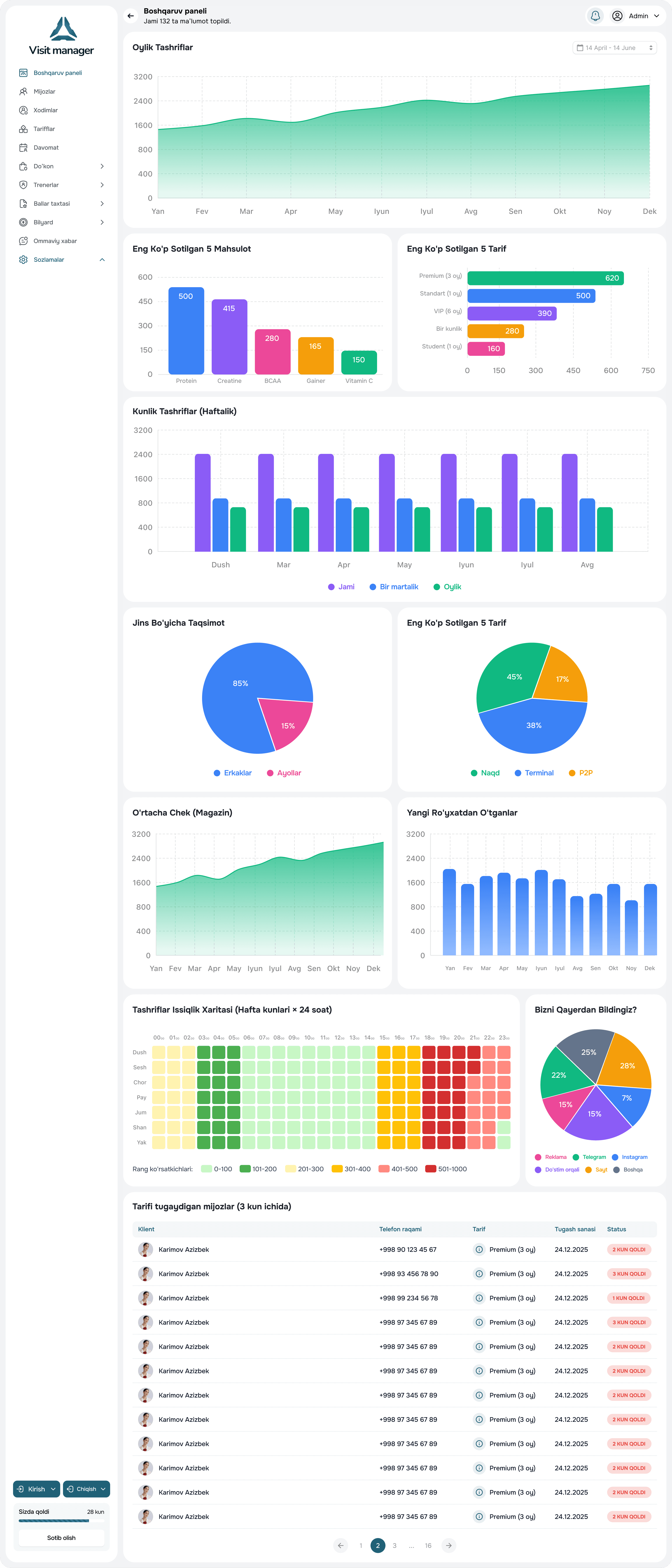
- Gym load now and by hour across the week
- Revenue for the day, week, month
- New clients and renewals
- Acquisition sources — which channel works
- Memberships expiring in the coming days
A dashboard with today's gym load and revenue, eight reports for any period, and one-click Excel export. From the office or your phone.
Club owners usually learn about problems late: when revenue has already dropped or a trainer has already left with their clients. Reports aren't about tables — they're about spotting a trend while it can still be fixed.
Visit Manager brings all the data — sales, visits, trainers, shop — into one set of analytics with clear charts.
Any report for any period downloads to Excel in one click — for your accountant, investor or your own analysis. The data is yours.
Clients on 1fit memberships and test sales are separated from your own sales in reports so they don't distort the picture.
The home screen of the web and the app — the club's current state.
One of eight, for the period and filters you need.
Revenue dip — check renewals; empty gym — check hourly attendance.
One click — the file is ready.
Yes, the dashboard and key reports are available in the VMI Pro app for iOS and Android.
Load, revenue and new clients — on the VMI Pro home screen.
Monthly, annual, 8 or 12 visits, single-visit, morning-only — any rules are set once. The system calculates validity and remaining visits itself and reminds about renewal.
Trainer categories, separate plans for personal sessions, client assignment and an automatic calculation of what each trainer earned this month.
Water, sports nutrition, towel rental, cocktails by recipe, billiard tables by the minute. Everything sells from the same system as memberships and lands in one till and one report.
We'll tell you about the system's features, help you choose the right plan, and assist with setup. We usually call back within 30 minutes.
We call back within 30 minutes
Free consultation
Setup assistance in 1–2 days
Fill out the form and we'll get in touch